The instance, and what it holds
An instance is the project: one repository, one Odoo version, and the environments built from them. What each of its tabs is for, who can open which, and what deleting one actually does.
Verified on September 13, 2026
Everything else in these guides happens inside an instance. It is the project: a repository, an Odoo version and edition, a region — and the environments built from them.
Nothing runs at this level. An instance holds no database and serves no traffic; its environments do. That is why starting, stopping, deploying and deleting a runtime are all on the environment, and why this page is mostly a set of doors to somewhere else.
The tabs, and who can open them
Eight tabs, and each needs its own permission. The table is worth reading once, because it is also the answer to "why can my colleague not see that":
| Tab | What it holds | Permission |
|---|---|---|
| Overview | Counts and the instance's own details | — |
| Modules | The modules found in the repository | git.view |
| Git Integration | The connected repository and its branches | git.view |
| Environments | The environments, and the button that creates one | — |
| Builds | Images built from your commits | builds.view |
| Releases | The gate before a deploy | builds.view |
| Deployments | What was deployed, and when | deployments.view |
| Settings | The instance's details, and deleting it | instances.manage |
Overview and Environments are ungated on purpose: they are what an instance is, and hiding them would leave a viewer on a page with nothing on it.
Anything that links into a tab is gated the same way, so you are never handed a shortcut that bounces you back to Overview. A dead link is worse than an absent one — the absent one tells the truth about what you can do.
What the details tell you
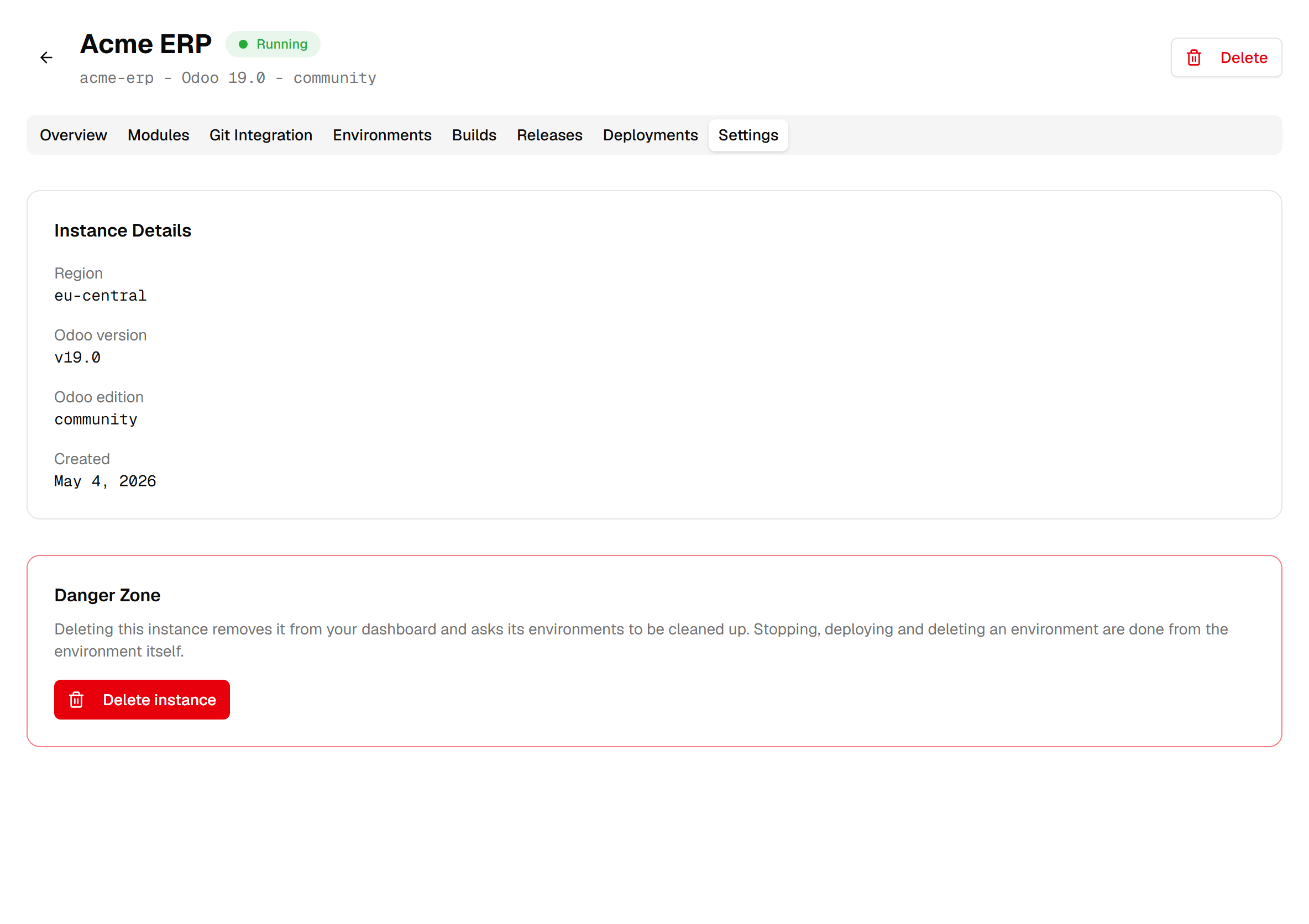
Four facts describe the instance: its region, its Odoo version, its edition, and when it was created. They are the shape every environment under it starts from.
The version here is the instance's declared Odoo version. An individual environment runs whatever image was last built and deployed to it, which the modules guide covers — so if you are chasing what a running environment is on, this is not the number to read.
Environments, from here
The Environments tab is where you create one and where you see them all at once with their status and price. Everything after that — deploying, configuring, backing up — happens inside the environment, and each has its own guide.
Two things are worth remembering at this level. Environments on one instance share the repository, so a change to the code is a change available to all of them. They do not share anything else: separate databases, separate addresses, separate bills.
Deleting an instance
The danger zone on Settings deletes the instance — and every environment in it, each one exactly as if you had deleted it yourself.
Read that carefully, because it is not the same thing as deleting an environment. The environment guide on lifecycle describes what deleting one environment destroys — its database, its files and every backup of it. Deleting the instance does that to all of them at once, including the last active one that deleting environments one by one would have refused.
So the order that keeps you out of trouble is the boring one: deal with the environments first, one at a time, keeping whatever you want to keep, and delete the instance when there is nothing left in it you care about.
Opening Settings needs instances.manage; deleting needs instances.delete. Neither is part of the
developer role.