Composing an offer, and getting paid for it
An offer is what a client buys: the modules, the limits, the price in each currency you sell in, and the page they read before deciding. Where each of those is set, and how the money reaches you.
Verified on September 13, 2026
The client-instances guide covers creating a client by hand, and the self-service guide covers letting them create themselves. Both use the same object without naming it: an offer.
An offer is a complete commercial proposition — what the client gets, what it costs, and the page they read before saying yes. They are listed under Client templates in the Clients tab, and each one opens on an editor of its own because there are more than a dozen decisions in it.
What the client gets
The first section names the offer and describes it. Two texts, not one: the short description is the line on the card that decides whether someone clicks, and the long text is the offer's own page, which decides whether they buy. The long one accepts Markdown and has no reason to be short.
Then the contents. Modules are picked from what is actually in the deployed image — a searchable list rather than a free-text field, so a module that does not exist cannot be sold. Users included and Storage included are the allowances, and leaving one empty means no limit on that axis.
One sentence in that section is worth reading twice: these limits are written onto each client when it is created and stay as they were sold. Raising them here gives more to the next client, not to the ones you already have.
The price, per currency
An offer is not priced once. It carries a price list per currency, and each list holds three figures.
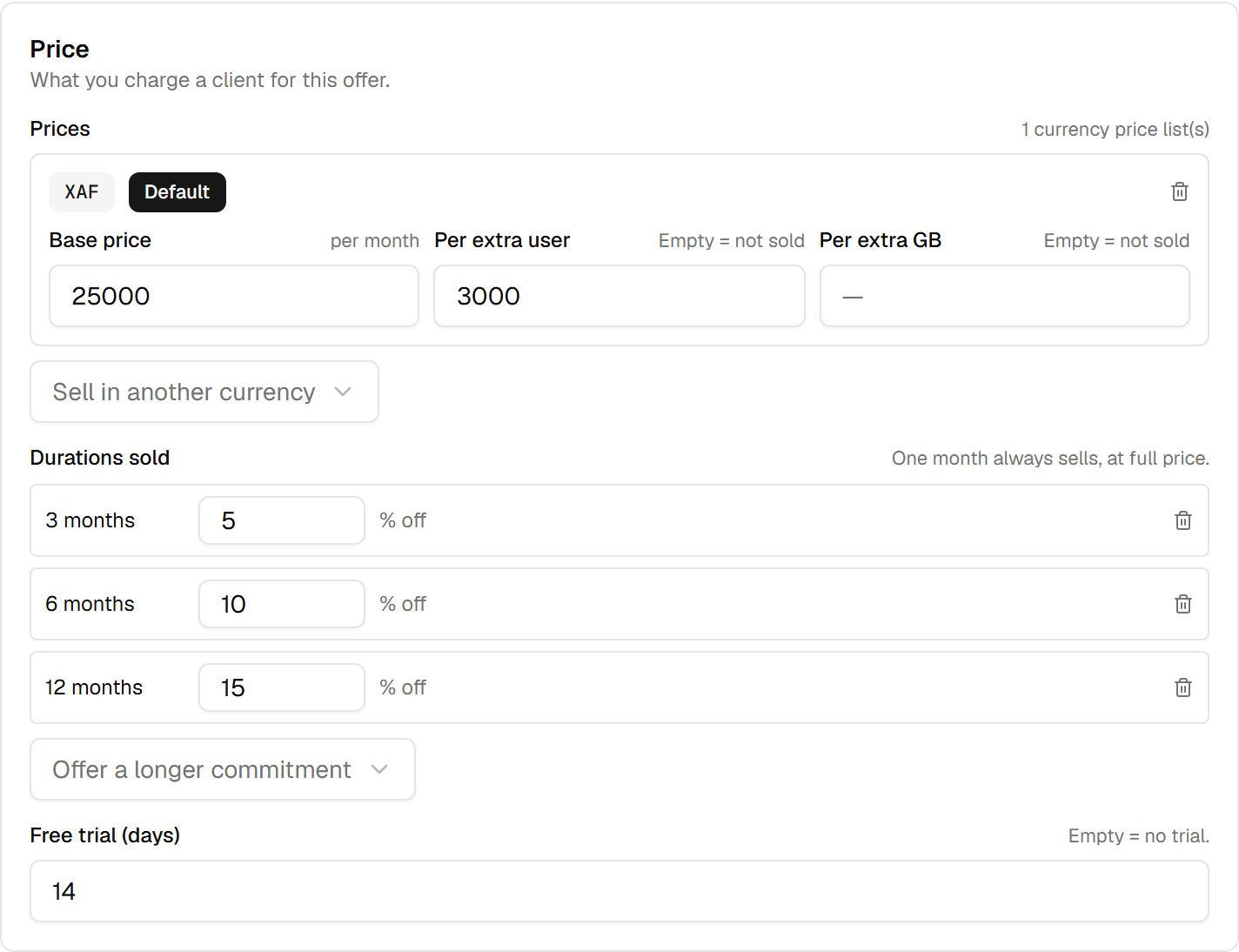
| Field | What it means |
|---|---|
| Base price | What the offer costs per month, in this currency. |
| Per extra user | What one user above the included count costs per month. |
| Per extra GB | Same, for storage. |
Empty is not zero. A blank add-on rate means that axis is not sold — the client cannot buy more
users at all. Typing 0 means they can, at no charge. The two are different promises, and only one of
them lets a client grow without talking to you.
When you sell in several currencies, one list is marked as the default. That is what a visitor sees when we do not know their own currency. Marking a new default clears the old one, because two defaults is a question with no answer.
Every price here is per month, whatever durations you also sell. That is the one rule to keep in mind while reading the next section.
Committing for longer
Durations sold is where a client can commit to 3, 6, 12, 24 or 36 months in exchange for a discount you set per duration. One month always sells, at full price, and is never listed — there is nothing to choose about it.
A discount is a reason for a client who was going to stay anyway to pay you up front. The arithmetic is the obvious one: the monthly price times the months, minus your percentage.
The free trial is a number of days, and an empty box means no trial. Clearing it is a decision that gets saved — the badge disappears from the card.
The page a buyer reads
The presentation section is the part that sells. Selling points and included applications are
short lists; screenshots are up to six images, uploaded or linked over https.
The caps are real and they are stated on each field as you type: eight entries of eighty characters. They are enforced before the request leaves your browser, so a ninth selling point is refused while you can still do something about it rather than accepted and silently dropped.
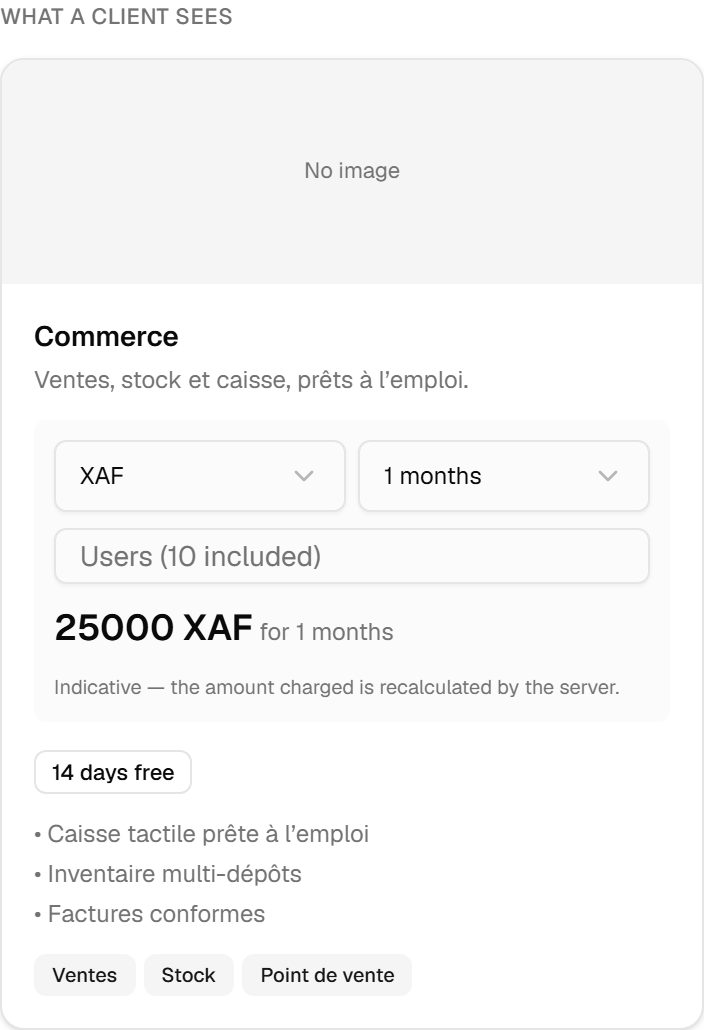
Beside the form, the preview shows the card a client will actually get, updated as you type — including a small simulator: pick a currency, a duration and a number of users, and read the total. It says plainly that it is indicative and that the charge is recomputed server-side, which is true and worth knowing: what a client pays is never decided by a page running on their device.
Where the offer is sold
Two switches, and they are not the same decision.
Show in the client portal offers it to your own clients, in your own space, under your own brand. List on the public marketplace additionally puts it in the platform's public catalogue, where anyone can find it — including people who have never heard of you.
Neither is on by default. Preparing an offer and offering it for sale are separate acts, and the preview says so while both are off: only you can see it.
A third switch appears once the offer exists. Available for new clients retires it: nobody new can choose it, and every client already on it keeps working. That is how an offer is withdrawn — not by deleting it, which would leave existing clients attached to something that no longer exists.
Getting paid
Selling is one thing; receiving the money is another, and it has its own panel: Payouts, in the same tab.

The platform is the seller: it collects from your client and sends you your share, so no client money moves through this screen. What it does is connect the account that receives that share, and show you two things — whether payouts are actually enabled yet, and the platform fee being applied.
Connecting opens the payment provider's own identity check, on their site. That check is why "connected" and "payouts enabled" are two different states: an account can be connected and still waiting on a verification, and a payout that will not arrive is worth knowing about before you invoice, not after.
Who is allowed to sell
Running a multi-tenant environment is open to every integrator. Selling through one is not, and the difference is deliberate: it is money changing hands under our name.
The editor asks the platform, rather than reading a role itself, and answers by showing you the sections you may use. Without the selling capability the price section and the marketplace switch are shown locked rather than hidden, with the consequence spelled out: the offer will be created free, and clients can take it at no charge. A missing section would have looked like a missing feature; a locked one tells you what to ask for.
On top of that, the ordinary permissions apply: tenant.view to see the offers, tenant.manage to edit
one, commerce.view and commerce.manage for the payout account. Preparing what you sell and being paid
for it are separate rights, and a colleague can hold either without the other.