The AI writes a proposal, not a commit
How the AI Module Developer produces reviewable changes, what its evidence badge actually claims, and the two checks that stand between a proposal and your repository.
Verified on September 13, 2026
The AI Developer tab on an environment writes Odoo module code against your repository. What makes it usable rather than alarming is a single design decision: it never writes to git.
Everything it produces lands as a changeset — a set of files, a summary, a commit message and a report — that sits in front of you until you approve it. Approval is where a commit happens, and approval is a human action with its own permission.
Starting the agent
The tab is gated by ai.use, and it only appears on environments that have a repository connected —
there is nothing for the agent to read otherwise.
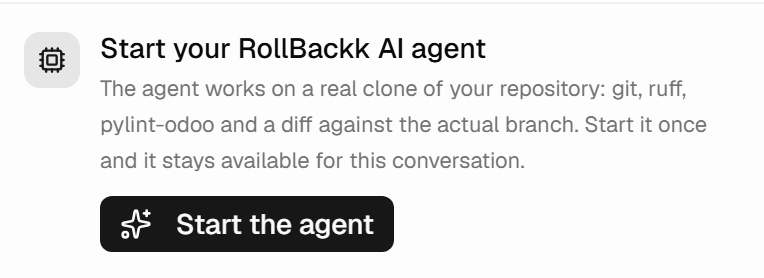
Before a first run you start an agent workspace: a real clone of your repository where the agent can run git, linters and a diff against the actual branch. It is a precondition, so the panel puts it above the composer rather than letting you write a prompt and fail afterwards. Start it once and it stays available for the conversation.
Three modes frame what you are asking for: Generate a new module, Modify existing code, or Fix something that is broken. They differ in whether the agent reads existing files first, and in how the task is put to the model — not in what they are allowed to do.
What the agent may and may not touch
Two limits are worth knowing, because both exist for reasons you would rather not discover by accident.
It will not run on the offline simulator. The platform ships a mock engine for development, and a mock run produces a complete, plausible, invented module that looks exactly like a real proposal in the review screen. So the agent refuses to run on it. If no real engine is configured, you get a refusal rather than fiction.
It will not write outside an Odoo module. The agent reads your repository, and repository content reaches the model as text — which means a single hostile line committed to a repo could ask it to write, say, a CI workflow. The commit is made with a token that has write access, so a path is a capability. Only files that belong to an Odoo module are accepted: known extensions, no dot-directories, no build or CI files, no scripts or binaries. Anything else is refused with a reason, before it is ever staged.
The badge, and what it is worth
Every proposal carries an evidence level. This is the part most worth understanding, because it is the difference between a review that means something and a green tick that does not.

There are six levels, and each includes the ones before it:
| Level | What it means |
|---|---|
| (no badge) | Nothing was verified — a proposal with no badge is a proposal with no evidence. |
| parses only | The files parse. Whether they form a coherent Odoo module is unknown. |
| checked by reading | References, security rules, views, package wiring and version syntax were read and are consistent. |
| linted on a real clone | The above, plus ruff and pylint-odoo over a real clone. |
| installed in Odoo | Odoo actually installed the module. |
| tests passed in Odoo | It installed, and the module's own tests passed. |
One badge sits outside that ladder: checks failed means a check ran and found a problem. Read the report before anything else.
The line that matters runs between checked by reading and installed in Odoo. Everything up to the linter is what can be told by reading the code; only an install is Odoo itself accepting it. Every report says so in its own last line — what was checked, and explicitly what was not.
Attach a running environment and the agent can go further up the ladder. Ship a tests/ package and it
can reach the top. Neither is required, and neither is pretended.

Approving, and the two things that can stop you
Approve & commit commits the files — to a new branch, never to the branch they were written against. Your base branch is not touched, and what you get is a branch to review, merge or delete like any other.
Two checks run first, and both fail closed.
Have the files changed since they were checked? If you edited them in the panel, the badge no longer describes what is on screen: it describes what the agent produced. That is not a weaker verdict, it is a verdict about something else, and approval stops rather than letting a passing badge read as permission. Re-run the checks, or override.
Has the branch moved? The head of the base branch is recorded when the agent reads it, and re-read at approval. If someone pushed in between, committing blind would silently overwrite their work. The agent can re-read the branch if you ask it to refine the change — or you can override, if you know the two do not overlap.
Both refusals can be overridden by a human who has read the code. The button changes when you do: it says Commit anyway, in a different colour, because a decision to skip a check should not look like the ordinary path.
Committing needs ai.commit, which is separate from ai.use. Someone can run the agent, read its
proposals and discuss them without being able to put anything into the repository — which is a
reasonable way to let more people use it than you let write to your code.
When it does not go to plan
Discard rejects the change, and offers a box for why. The reason is optional; a required justification only ever produces empty ones. When it is given it is the most valuable feedback the platform gets — somebody read the code and disagreed with every check that passed.
Refining is usually better than rejecting. Replying in the same conversation produces a new version of the changeset rather than a fresh one; the old version is marked superseded and the chain is kept, so v1 and v2 are both readable.
A run that ends without changing files is not a failure. If you asked a question, you get an answer in the conversation and no changeset — the panel labels it as such rather than showing an empty diff.
And if the commit itself does not complete, the distinction the platform draws is worth trusting: a refusal from your git provider — a protected branch, a rejected path, a revoked token — ends the changeset, because nothing about retrying would help. A timeout or a dropped connection puts it back to awaiting review with the reason attached, because the outcome is unknown and burning a reviewed change over a hiccup would mean paying for the whole run again.
Budgets, history and permissions
Token spend is metered per team and shown in the panel, so the cost of a run is visible where the run is started rather than at the end of the month.
Conversations are kept per environment; the panel restores the most recent one when you open it, and the history lists the rest. Every committed AI change is also recorded on the platform's audit stream.
Three permissions divide this surface: ai.use to run the agent, ai.commit to approve and commit, and
ai.diagnostics to let the agent read a running environment — module states, deployments, health, logs
and records. That last one is a separate permission and is not part of the developer role: it is the
difference between an agent that reads your code and an agent that reads your customers' data.
A fourth, ai.workspace, opens a cloud workspace: a terminal on the repository, for working with your
own AI coding tools. It also depends on your plan, and the panel says so when yours does not include it.