Releases: the gate before a deploy
A release is a record and a set of gates - checks, approvals, a backup - that a change passes before anyone deploys it. What each gate does, and where the process stops.
Verified on September 13, 2026
Deploying to production from a button is fine until the day it is not. The Releases tab on an instance is the other way: a change becomes a release, the release passes gates, and the whole passage is written down.
Be clear about the boundary first. This tab prepares a deploy and stops at ready to deploy. It does not deploy anything itself — that is still the environment's own Deploy button, covered by the guide on deploying from Git. What you get here is everything that should happen before that click, and a record of who let it through.
The policy decides everything else
Before any of it means anything, there is a release policy — one per environment kind, not per environment. It answers five questions, and the rest of the tab simply obeys.
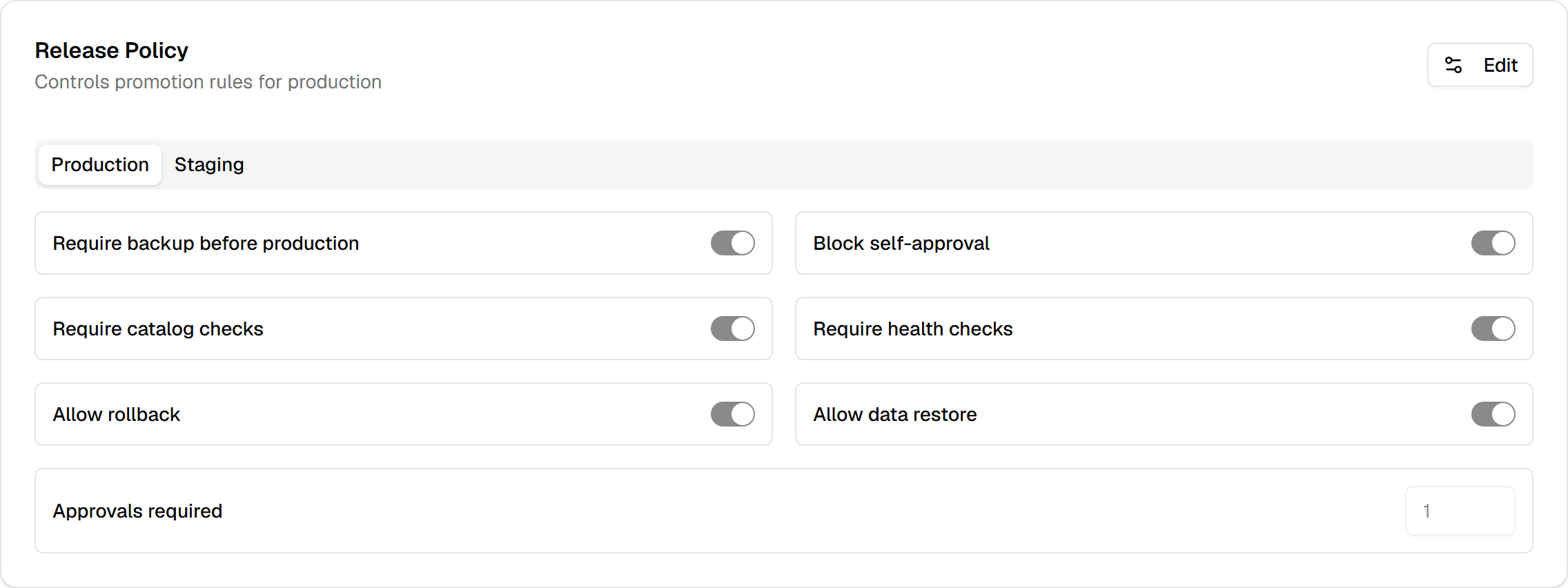
The defaults are not the same everywhere:
| Production | Staging and development | |
|---|---|---|
| Backup before deploy | required | not required |
| Approvals | 1 | 0 |
| Self-approval | blocked | allowed |
| Catalog checks | required | required |
| Health checks | required | not required |
An environment is classified by its key: main, master and anything containing prod count as
production, anything with stag as staging, dev as development — and anything unrecognised is
treated as staging, not as production. Worth knowing when you name an environment something creative.
Creating a release
A release names a source, a target, and the commit that is moving. The source is optional: with none, the release is manual and you supply the branch yourself. With one, the platform resolves the commit that environment is actually running, which is what makes "promote staging to production" mean something exact rather than "whatever is on the branch right now".
A title and a description are optional too; leave them empty and the release is titled from the two environments.
The checks, and which of them can stop you
Run checks puts the release through seven automated checks. Each returns a status — passed, warning, failed or skipped — and, separately, a severity.
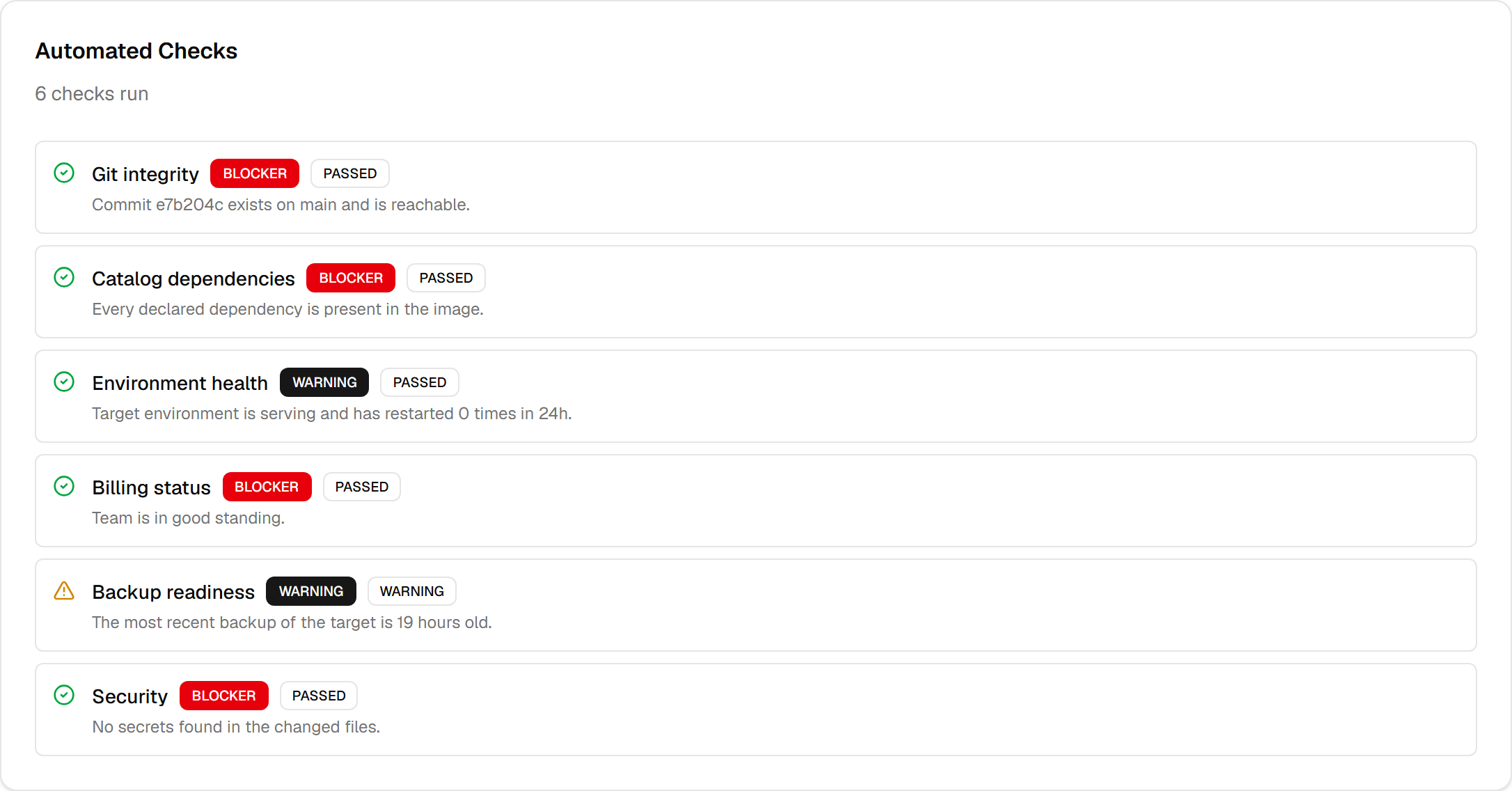
Those two words together are the whole logic: a release is blocked only when a check that is failed is also a blocker. A failed warning-level check does not stop anything — it is there to be read.
Three of the checks are switched by policy: catalog dependencies, environment health, and backup readiness. When policy turns one off it is not silently dropped — it is recorded as skipped, with the environment it was skipped for. A check that did not run and a check that passed must never look alike.
Approvals, and why you may not approve your own
If the policy asks for approvals, the release stops at waiting approval and nothing moves until a person acts.
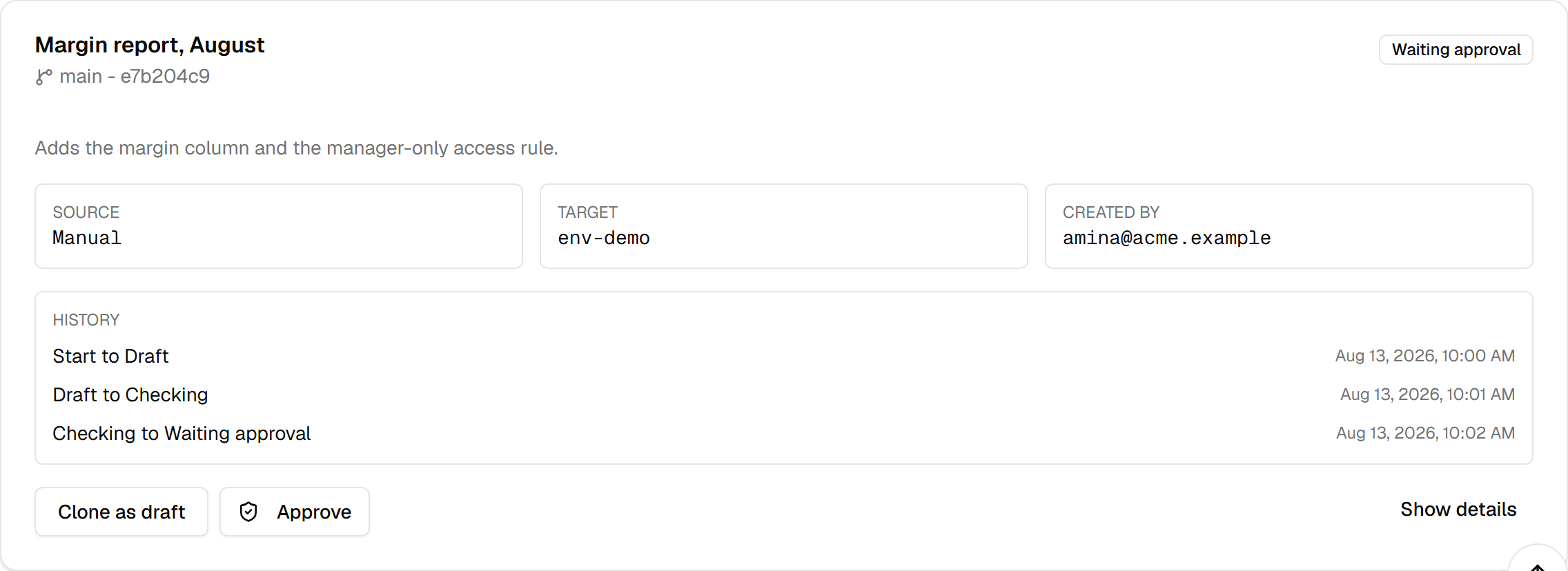
On production, self-approval is blocked by default: the person who created the release cannot approve it. Attempting it is refused, not quietly ignored. That single rule is most of what a release process is for — it puts a second pair of eyes between a change and the customers who will meet it.
A rejection takes a reason. Approvals are counted, and the release only becomes approved once the policy's count is reached.
The backup step
When the policy requires a backup, an approved release does not go straight to ready — it waits for one. Trigger backup takes it, and the release moves on when the backup is done.
This is the same backup machinery described in the backups guide, with the same caveat about what a copy is worth: a backup you have never restored is a belief. What the release adds is that the copy is tied to this release, so afterwards you can tell which backup belongs to which change.
Where it ends, and what to do next
The pipeline is: draft → checking → blocked or waiting approval → approved → backup running → ready to deploy. Every step is recorded as a transition with its reason, its actor and its time, and the card shows the chain. That history is the reason to use this tab at all: months later it answers "who approved this, and what did the checks say" without anybody having to remember.
At ready to deploy the tab has done its job. Deploy from the environment, then come back if you need the record.
Two more things on the card are worth knowing. Clone as draft copies a release into a fresh draft — the fastest way to re-run something after a blocker was fixed, without retyping it. And the policy also states whether rolling back and restoring data are permitted for this environment, so the rules are written in one place even though those buttons live elsewhere.
The tab needs builds.view to open. Rolling back a deployment needs deployments.rollback, which the
developer role has and a viewer does not.