The life of an environment: create, stop, delete
Adding an environment, what each one costs, why stopping reduces the bill without ending it, and exactly what deleting destroys.
Verified on September 13, 2026
An instance is a product; an environment is a running copy of it. Production, staging, a branch you want a client to look at — each is its own Odoo, its own database, its own address, and its own line on your bill.
This guide is about the three decisions that cost or save money: adding one, stopping one, and deleting one. The last is the only one that cannot be undone.
Adding an environment
The Environments tab of an instance lists what exists and offers the form that adds more.
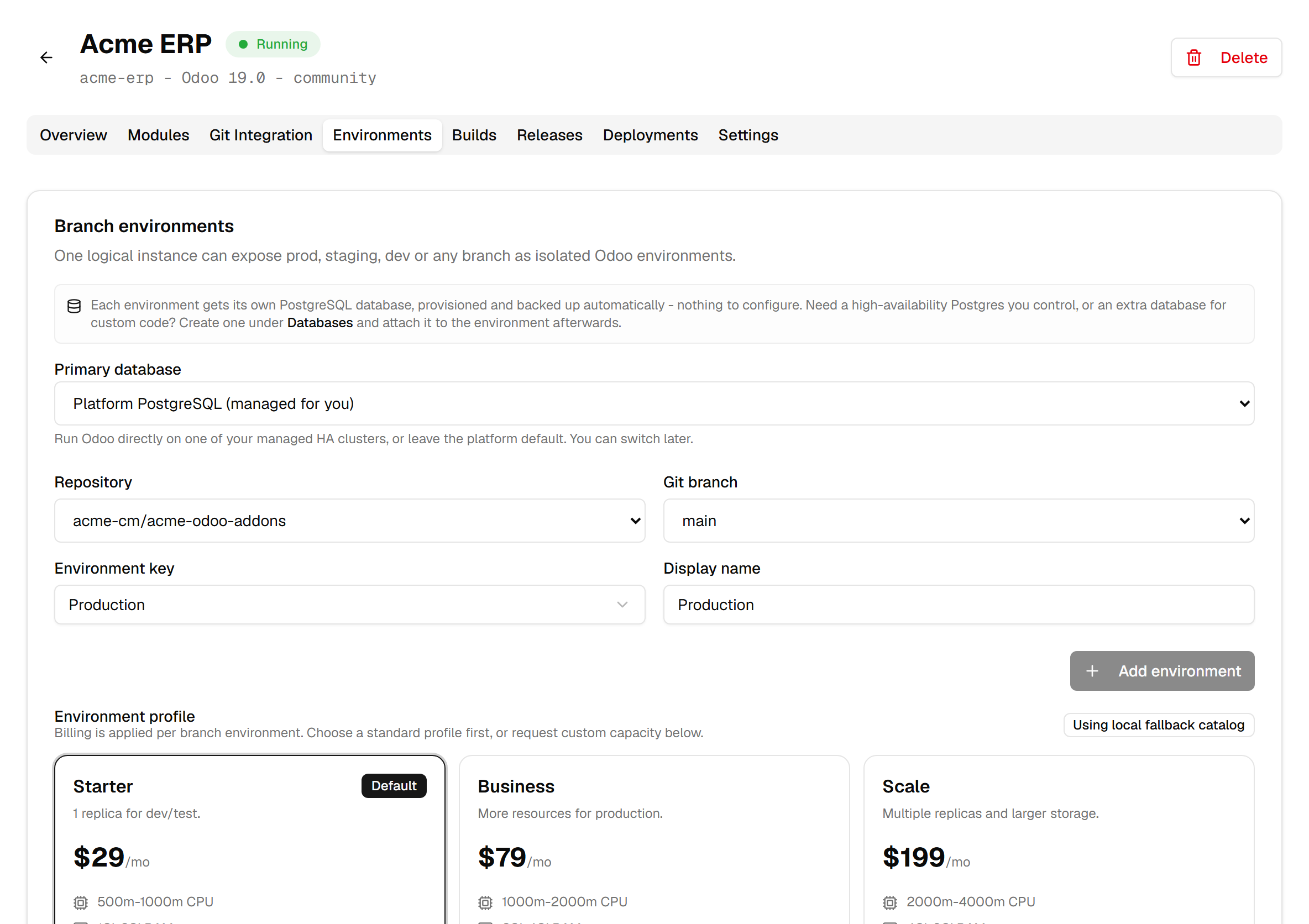
An environment is defined by four things:
- The repository and branch it deploys — or none, if you want a bare Odoo to start from. Several environments can run the same branch: a staging copy of production, a test copy. Other branch… creates the branch you type in the repository, from its default branch.
- An environment key —
prod,staging, or one you name yourself. It becomes part of the address, and it is what must be unique within the instance. - A profile, which is the plan: CPU, memory, storage and replicas, at a monthly price. When no standard profile fits, Request custom profile describes the workload instead: support prices it, and nothing is deployed until you accept the quote.
- A database: by default the platform's own PostgreSQL, provisioned and backed up for you. A managed cluster of your own can be chosen instead, at creation.
The profile is where the money is decided, and the form shows the price before you create anything.
What an environment costs while it runs
The card carries the billing status and the monthly price side by side. That price is the profile's, and it is charged for as long as the environment exists — not for as long as it is used.
Three details worth knowing:
- A profile with several replicas is billed per replica: two replicas cost twice the profile's price. Each replica gets the profile's CPU and memory; the storage is one volume shared by all of them, not one each.
- The price is shown in your billing currency, which follows your team's country. When an environment was created before your country was set, Re-sync price to my currency re-aligns it — with no proration, because it is a correction rather than a change of plan.
- A price change mid-month is prorated: you are billed for the days at each rate, not for whichever rate happened to be in force on invoicing day.
Stopping reduces the bill; it does not end it
This is the section this guide exists for.
Stop shuts down the compute. The environment stops serving, and its price drops to a reduced rate — by default 30% of the full plan — because the storage stays reserved. Your database and your filestore are still there, waiting, which is precisely why they are still charged for.
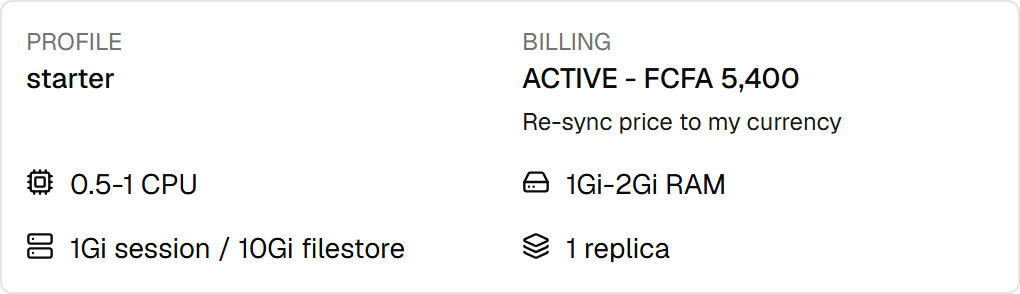
Note that the billing status still reads ACTIVE while the environment is stopped. That is not a bug: the status describes the subscription, not the process. Only a cancelled component stops the meter, and cancellation happens on deletion alone.
Stopping and starting are both prorated the moment you click: stopping records a credit for the remaining days of the month, starting records a charge. So a staging environment stopped for three weeks genuinely costs less this month, without waiting for the next cycle.
Start brings it back with its data intact. If your account is suspended for unpaid invoices, the button explains that instead — settle the invoices and starting works again.
Deleting destroys more than the environment
Delete is not a stronger Stop. It is a full teardown, and the dialog names each thing it removes.
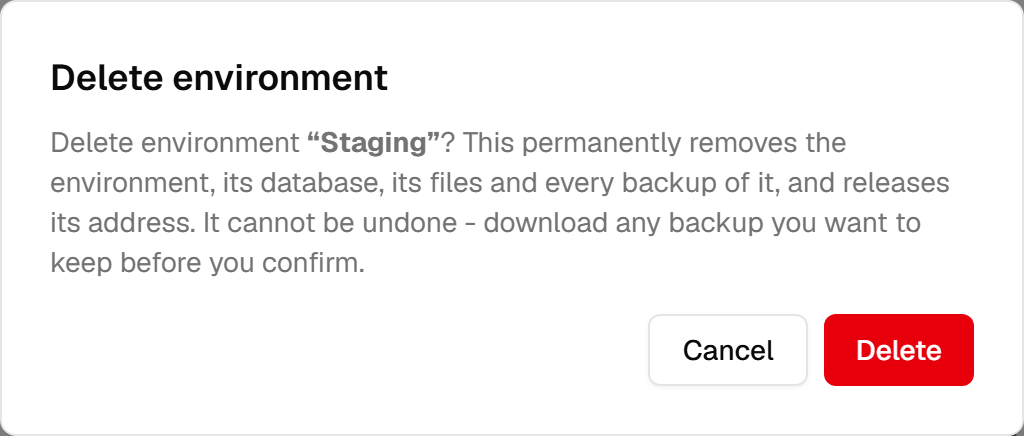
What goes:
- the running environment itself, and the storage under it;
- the database, deleted, not detached;
- every file it held — attachments, documents, everything in the filestore;
- every backup of this environment, including the stored dumps;
- the system address, released for reuse.
There is no administrator who can bring it back afterwards. If any of it matters, download a backup before you confirm — a downloaded dump is a file you hold, and it is the only copy that survives this.
The other way to keep the data is to duplicate the environment first: a copy made from a backup is a separate environment with its own backups, and deleting the original does not touch it. The guide on duplicating covers that.
Deletion also settles the money immediately: the subscription is cancelled and the remaining usage is charged and taken from your balance there and then, rather than waiting for the monthly invoice.
The one deletion the platform refuses
You cannot delete an instance's only active environment. The refusal is explicit, and it is a guard rather than a limitation: it stops an instance from becoming a product with nothing running under it.
The refusal names the two ways out. Stop it first — a stopped environment can be deleted — or create the replacement before deleting this one. And if what you actually wanted was to stop paying full price, stopping alone does that.
Choosing between stopping and deleting
| You want to | Do |
|---|---|
| Pause a staging environment between two sprints | Stop — keeps everything, at the reduced rate. |
| Free the capacity but keep the data | Download a backup, then delete. |
| Test something destructive | Duplicate, work on the copy, delete the copy. |
| Be done with it permanently | Delete — after checking there is nothing in it you will want. |
The reflex worth building: stopping is reversible and cheap, deleting is neither. When unsure, stop.