Who can do what: members, roles and scopes
The base role every member carries, the custom roles a team can write, and the assignment that grants one of them on a single environment.
Verified on September 13, 2026
Access on the platform is built from three pieces, and they are easier to reason about once you see that they are separate: a base role carried by each member, roles that are just named sets of permissions, and assignments that grant a role somewhere in particular.
The third one is what people do not guess, and it is the one that lets an outside collaborator into exactly one environment and nowhere else.
Every member carries a base role
The Team page lists your members, each with a base role that applies across the whole team. It is chosen when you invite someone and can be changed later from the same row.
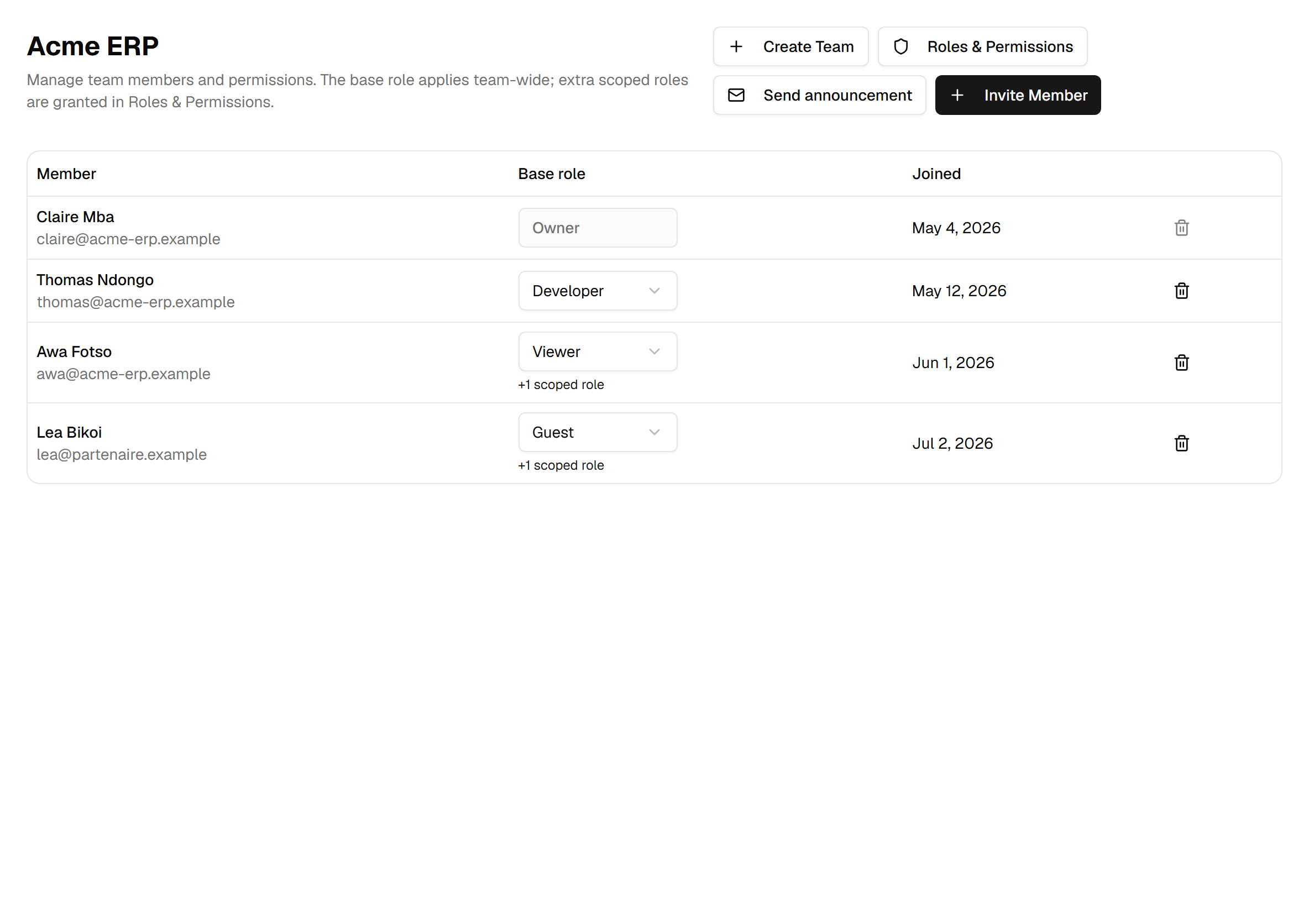
The owner's role cannot be changed here, and the owner cannot be removed — a team must always keep someone who can act on it.
The five built-in roles
They are fixed, and they nest: each one holds everything the one below it holds, plus more.
| Role | Permissions | What it means |
|---|---|---|
| Owner | 52 | The entire catalogue, including deleting the team. |
| Admin | 51 | Everything operational — everything except deleting the team. |
| Developer | 35 | Day-to-day work: deploy, modules, backups, restore, databases, AI. Sees billing but cannot spend; cannot manage members. |
| Viewer | 11 | Read-only, plus logs and metrics — enough to watch, nothing to change. |
| Guest | 0 | Nothing at all, team-wide. |
A guest holds zero permissions — that is the whole reason the role exists. A guest sees nothing until you grant them something at a specific place, which is exactly the shape you want for a client, an auditor or a subcontractor.
Note where the line is drawn for Developer: it can restore an environment and manage client tenants, but it cannot delete an environment, delete a tenant, top up the balance or change the billing country. Destroying data and spending money are kept for Admin and Owner.
Roles you write yourself
Roles & Permissions is where a team defines its own. A custom role is a name, a description and a set of permissions picked from the catalogue — nothing more. It carries no scope of its own.
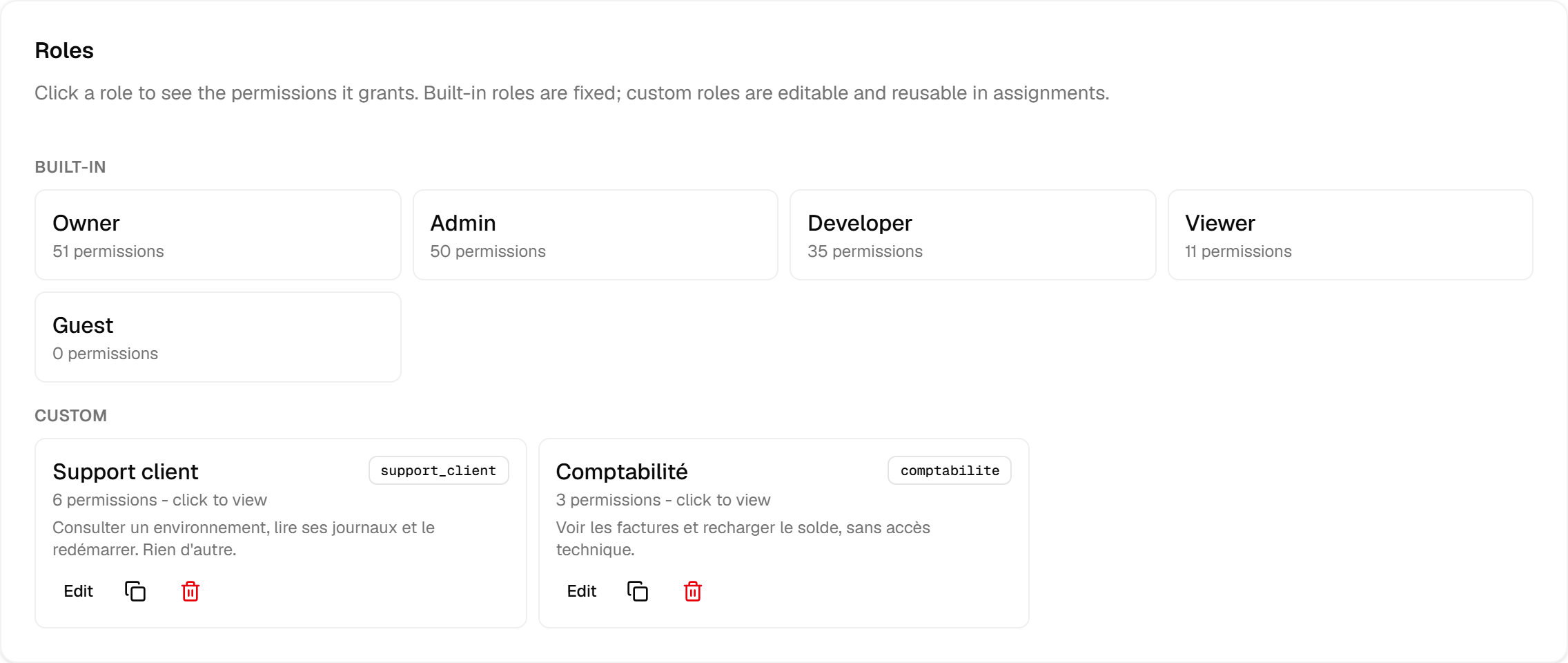
Click any role — built-in included — to see exactly which permissions it grants. Duplicating a built-in role is the fastest honest way to build a custom one: start from Developer, remove what you do not want, save it under your own name.
Creating a custom role — from scratch or by duplicating one — or adding permissions to one needs a plan that includes custom roles. Without it, New role and Duplicate stay visible but greyed out. Renaming a role, removing permissions from it or deleting it is never held back by the plan.
Scope: where a role applies
An assignment is the pairing of a member, a role and a scope. Three scopes exist:
- Whole team — the role applies everywhere, exactly like a base role.
- Instance — the role applies to that instance and everything under it, including its environments.
- Environment — the role applies to that one environment.
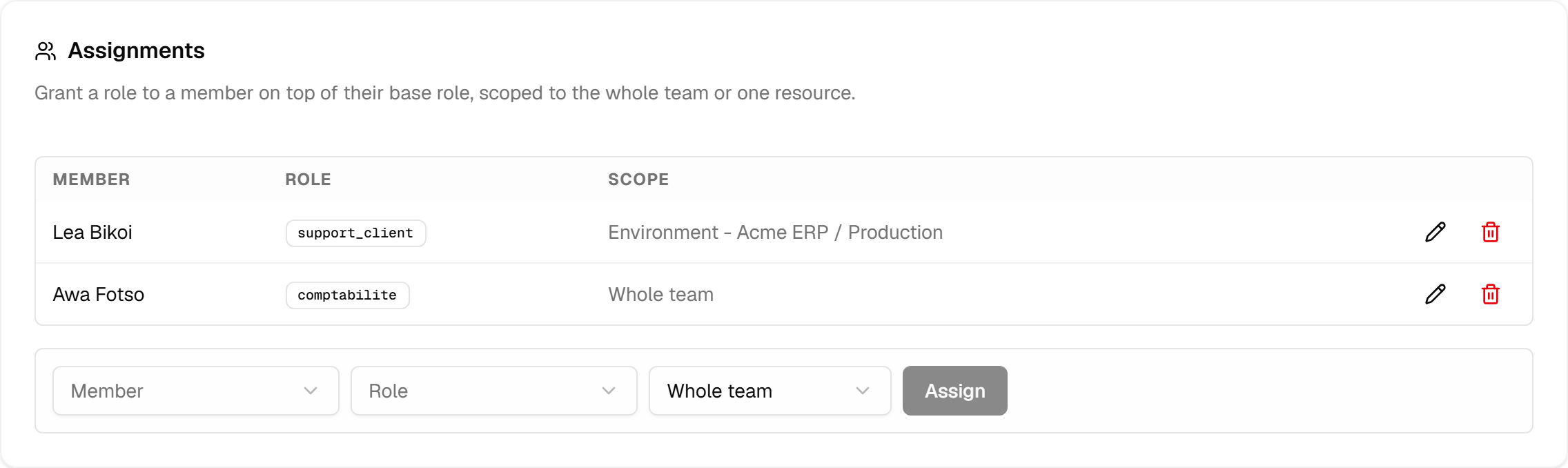
Because the scope lives on the assignment and not on the role, one role can be granted many times in different places. "Support client" on the production environment of one customer, and on another customer's environment, is the same role used twice.
Assignments fall under the same plan. Granting a custom role, or granting any role on an instance or an environment, needs a plan that includes custom roles; a built-in role granted to the whole team is available on every plan. Removing an assignment never needs the plan, and assignments made earlier keep applying if the plan changes later.
How permissions add up
The rule is short: your effective permissions are the union of your base role's permissions, team-wide, plus every assignment you hold, at that assignment's scope.
Two consequences follow, and both matter:
- Assignments only ever add. Nothing subtracts. Giving an Admin a restricted role on one environment restricts nothing — they were already allowed. To narrow someone down, lower their base role (Guest is the floor) and grant back what they need.
- A grant on an instance covers its environments. Permission is checked against the chain of the thing being touched, so an instance-scoped role reaches everything beneath it. The reverse is not true: a grant on one environment stays there.
The recipe for an external collaborator is therefore: base role Guest, plus one assignment of a narrow custom role, scoped to the single environment they are working on — on a plan that includes custom roles.
What to watch for
Managing roles and members is always team-wide. team.roles.manage and team.members.manage are
checked against your team-wide permissions only — granting either of them on one environment does not let
someone administer the team from there. The ability to hand out access cannot itself be handed out in a
corner.
Hiding a button is not the protection. The interface hides what you cannot do, but every service re-checks the permission when the request arrives. A hidden button and a refused request are two different mechanisms, and only the second one is security.
Permission keys are a contract. They are never renamed or deleted, only added — which is why a role you wrote a year ago still grants exactly what it granted then, and why new capabilities appear in Owner and Admin automatically without anyone editing a role.